
If you have been wondering how to start a blog with no tech background this post is the honest beginner guide I wish I had found on day one.
In this post you will learn:
- Why I decided to start a blog at 54 with zero tech experience
- The real reason a blog matters for building income online
- Every tool I used to build it from scratch
- The parts that confused me most and how I worked through them
- How AI helped me get unstuck when I had no idea what to do next
- The honest truth about how long it actually takes
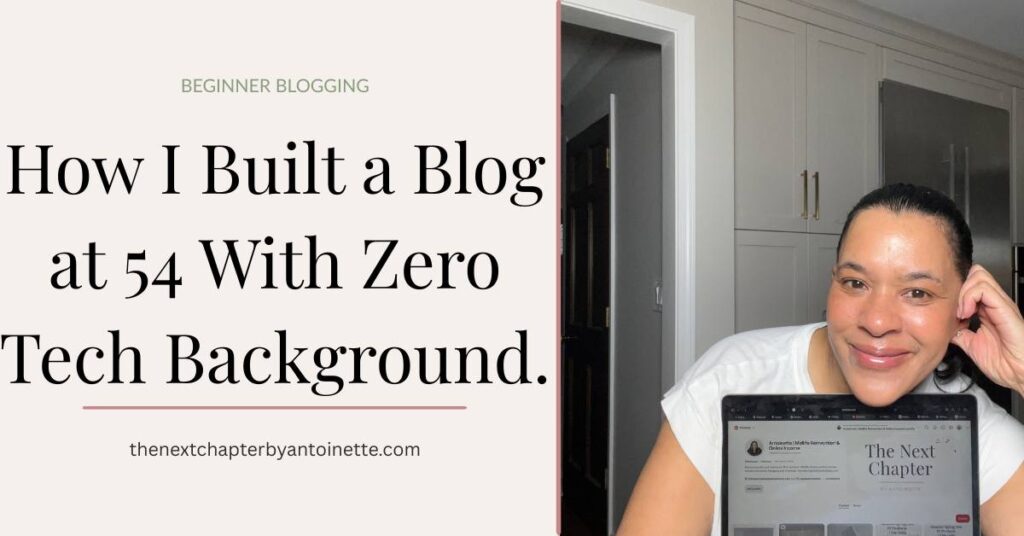
If you have been thinking about starting a blog but the tech side feels completely overwhelming I want you to know something before you read another word. I am 54 years old, I have no tech background, and I built this blog from scratch. Not with help from a developer. Not with a spouse who works in IT. Just me, a laptop, a lot of YouTube videos, AI tools that answered my questions at midnight, and a willingness to figure it out one confusing step at a time.
It took me two weeks of genuinely long days to get this blog up and running. Two weeks of staring at screens, hitting walls, Googling things I did not understand, and asking AI to explain concepts to me in plain language until they finally made sense. I want to be upfront about that because most blogging tutorials make it sound like an afternoon project and it is not. It is real work. But it is absolutely doable work and everything I learned along the way is in this post so you do not have to figure it out the hard way
Why I decided to start a blog in the first place
I built this blog for three specific reasons and understanding all three will help you decide whether blogging is the right move for you too.
The first reason was to document my reinvention journey in real time. I wanted a home base that was mine, that I controlled, that nobody could shut down or change the algorithm on overnight. Social media is borrowed land. A blog is property you own.
The second reason was to drive traffic to my Amazon storefront. As an Amazon Influencer I earn commissions when people shop through my storefront but I needed a way to send people there consistently. A blog with well written content and affiliate links is one of the most effective ways to do that.
The third reason was Pinterest. I had learned from Pinterest experts that Pinterest strongly favors traffic sent to external sources like blogs over traffic sent directly to social media profiles or product links. Having a blog means every pin I create has a destination that Pinterest trusts and wants to send people to. If you are planning to use Pinterest as a traffic strategy, and I believe every woman building income online should be, a blog is not optional. It is the foundation the whole strategy sits on. I wrote more about how I learned Pinterest marketing from scratch in this post if you want to go deeper on that.
How AI helped me build it
I want to talk about this because it made a genuine difference and I do not see enough people mention it in beginner blogging content.
I used Claude and ChatGPT throughout the process of building this blog. When I did not understand what a plugin was I asked. When I could not figure out why my theme was not displaying correctly I described the problem and asked for help troubleshooting it. When I had no idea what order to do things in I asked AI to map out the steps for me in plain language.
AI is not going to build your blog for you but it will answer your questions without making you feel stupid for asking them. At 11pm when I was stuck on something and could not find a YouTube video that explained it clearly, being able to type my exact question and get a direct answer in plain language was genuinely invaluable. If you are not using AI tools to support your learning as a new blogger you are making things harder than they need to be.
Step 1 — Choosing my hosting with Hostinger
The first decision you make when starting a blog is where it is going to live online. That is what hosting means. Your hosting provider stores all of your website content and makes it accessible to anyone who types your URL into their browser. Think of it as the land your blog is built on.
I chose Hostinger and I have no regrets about that decision. It is affordable, the onboarding process is genuinely beginner friendly, and it comes with one click WordPress installation which matters a lot when you have no idea what you are doing. The dashboard is clean, the support is accessible, and getting started does not require any technical knowledge whatsoever.
If you are starting a blog today Hostinger is where I would send you without hesitation. I have an affiliate link below if you want to use it. It costs you nothing extra and I genuinely recommend it based on my own experience.
Step 2 — Building on WordPress
WordPress is the platform your blog actually runs on. If Hostinger is the land then WordPress is the house built on it. It is by far the most widely used blogging platform in the world and once you get past the initial learning curve it becomes genuinely intuitive.
The learning curve is real though. WordPress has its own language and its own way of doing things. Blocks, widgets, themes, plugins, the difference between pages and posts, why something appears differently in the editor than it does on the live site. None of it is immediately obvious if you have never used it before.
I spent more time than I care to admit figuring out how the formatting worked and why things were not appearing the way I expected them to. This is where YouTube and AI became my best friends. Every time I hit a wall I either searched for a YouTube tutorial or asked Claude to explain exactly what I was stuck on. Between those two resources I found an answer to every single problem I encountered.
Checkout WordPress here.
Step 3 — The things nobody warned me about
This is the section I wish had existed when I was starting out.
Themes. A theme controls how your blog looks visually. There are thousands of them, free and paid, and choosing the wrong one or not understanding how to customise it can make the whole setup feel like it is broken when it is not. I use Kadence and find it clean and flexible. My advice is to pick something simple that reflects your brand and move on. You can always change it later and spending three days choosing a theme is three days you are not writing content.
Plugins. A plugin is an add on tool that gives your blog extra functionality. Caching for speed, SEO tools, contact forms, image optimisation. You need some of them and you do not need most of them. More plugins running simultaneously means a slower site which means visitors leave before your page finishes loading. Install only what you actually use and keep everything updated.
Featured images. I genuinely did not know what a featured image was when I published my first post. It is the main image that represents your blog post everywhere it appears including your blog feed, social media shares, and search results. Every post needs one. Without it your post looks incomplete and unpolished anywhere it gets shared.
SEO basics. SEO stands for Search Engine Optimisation and it is how you make your blog posts findable on Google. There are three specific things that confused me when I first started. Your focus keyword which is the main search term you want your post to rank for. Your permalink which is simply the URL address of your post and needs to be short and keyword rich. And your meta description which is the short summary that appears under your post title in Google search results. None of this needs to be perfect when you are just starting out but understanding what these terms mean before you publish your first post will save you from having to go back and fix everything later.
Step 4 — The tools that complete my setup
Beyond Hostinger and WordPress there are a few other tools I use every day that make this blog function as an actual business.
Rank Math is my SEO plugin. It lives inside WordPress and scores every post I write before it goes live. It checks whether my focus keyword appears in the right places, whether my meta description is the right length, and whether my permalink is properly formatted. I aim for a score of 70 or above on every post. It is not perfect and I do not chase perfection but it keeps me accountable to the basics every single time I publish.
Canva is where I create every single image on this blog. Featured images, Pinterest pins, lead magnet covers, social media graphics. All of it. The free version is powerful enough to get started and the brand kit feature lets you save your colors and fonts so everything looks consistent across your whole blog without having to think about it.
Google Analytics via Site Kit tells me who is visiting my blog, where they came from, which posts they are reading, and how long they are staying. Without this data you are running your blog completely blind. Site Kit makes the installation process straightforward even for someone with no analytics background and I recommend setting it up from day one even if you do not understand all the numbers yet. You will be glad you have the data later.
The honest truth about how long it takes
Two weeks of long days. That is the honest answer for me and I want you to have that expectation going in rather than thinking something is wrong with you if it takes more than a weekend.
Getting the technical side set up, choosing hosting, installing WordPress, sorting out my theme and plugins, understanding the layout, figuring out SEO basics, and publishing my first post took me two full weeks of working on it every day. There were evenings I closed the laptop frustrated and mornings I opened it and immediately hit another wall.
I pushed through every single time and I am so glad I did. Because the blog you are reading right now is the result of those two weeks and everything that has been built on top of them since. Done is infinitely better than perfect. The most important thing is that it exists.
What I would tell someone starting today
Start with Hostinger and WordPress. Pick a clean simple theme and stop overthinking it. Install only the plugins you actually need. Learn the basics of Rank Math before you publish your first post. Use Canva for every image. Set up Google Analytics from day one. And use AI tools like Claude or ChatGPT to answer your technical questions whenever you get stuck because they will save you hours of frustration.
Most importantly understand why you are building it before you start. A blog is not just a diary. It is a traffic engine, an income generating platform, and the foundation that makes everything else you are building online work better. Pinterest will send more traffic to your blog than it will to any other destination. Your Amazon storefront performs better when it is supported by blog content that explains and recommends your products. Your email list grows faster when people have a blog full of valuable content to trust you from.
If I can build this at 54 with zero tech background and two weeks of long confusing days you can build it too. The only thing standing between you and a blog that exists is the decision to start.
Ready to start your blog?
I use Hostinger for my hosting and recommend it without hesitation for anyone starting their first blog. Affordable, beginner friendly, and everything you need is included.
Check out Hostinger and WordPress here.
And if you are still figuring out where to start with building income online grab my free Next Chapter Starter Kit. It covers all six income streams I am building including this blog and why each one matters.
This post contains affiliate links. If you purchase Hostinger through my link I may earn a small commission at no extra cost to you. I only recommend tools I personally use and genuinely believe in.